

Product Overview
Brand: ZONADAH
Features:
- Cutting-Edge Technology: Operating at a stable 433MHz frequency, the ZONADAH Remote Control ensures a reliable and interference-free signal. Its advanced ASK modulation and 1527 learning code encoding make it a versatile and intelligent solution for various applications.
- Extended Range and Versatility: With a remarkable range of 100 meters in open spaces, this remote control defies physical barriers. Its wireless RF signal effortlessly penetrates walls, floors, doors, and windows, allowing you to control devices from virtually anywhere within the specified range.
- Multi-Functional Control Modes: Tailor your experience with the ZONADAH Remote's diverse operating modes. Whether it's instant control, self-locking, interlocking, or the convenience of delay modes, this remote adapts to your preferences, providing flexibility for a myriad of applications.
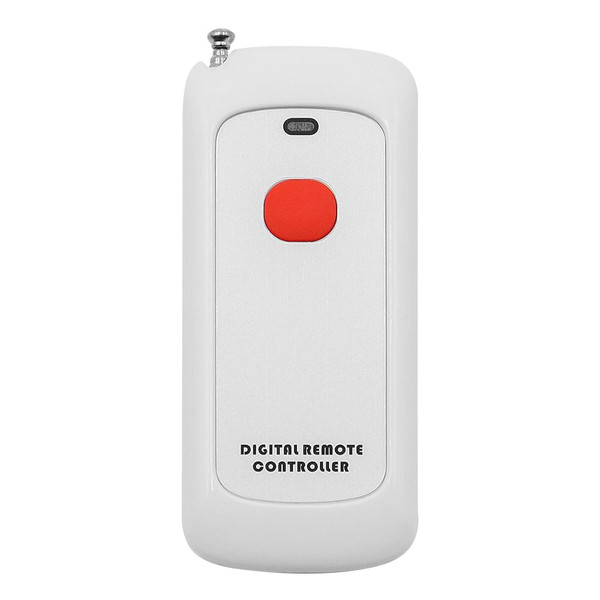
- Intelligent Design for Easy Use: The built-in smart control panel in the ZONADAH Remote allows for one-key control, making operation incredibly convenient and user-friendly. The compact dimensions of 60x31x11mm ensure a comfortable grip and easy handling.
- High Sensitivity and Exceptional Performance: Meticulously crafted for precision, the ZONADAH Remote exhibits high sensitivity, ensuring reliable performance in various environments. Its top-notch construction guarantees optimal functionality, making it a standout choice for wireless control.
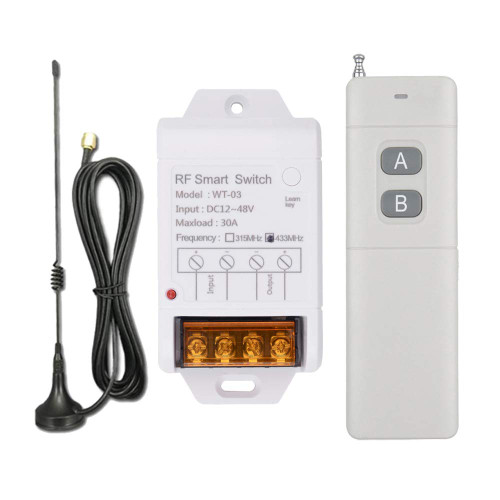
Details: ZONADAH Wireless Remote Control: Redefining Convenience and Control Introducing the ZONADAH Wireless Remote Control, a pinnacle of innovation and functionality designed to enhance your daily life. Crafted with precision from high-quality ABS and PC plastics, this remote control is a testament to durability and modern design. Specifications: - Material: ABS+PC Plastic - Operating Voltage: DC 6V - Operating Current: ≤12mA - Operating Frequency: 433MHz - Reference Distance: 100 meters (Open Space) - Modulation Method: ASK - Dimensions: 60mm x 31mm x 11mm - Encoding Method: 1527 Learning Code - Package: 1 x Remote Control Immerse yourself in a new era of wireless control with the ZONADAH Remote. Elevate your control experience and seamlessly manage lights, motors, fans, doors, windows, blinds, and more in both home and industrial settings. Convenience and performance, redefined. Instructions: Clear Pairing: (Before switching modes, clear the pairing first) Press the learning button 9 times. The LED will turn off. The LED will flash 5 times, indicating the clearing is successful. (If you need to change the working mode of the same remote, please clear the pairing first and then re-learn.) Learning Pairing: Momentary Function: Press the pairing button on the control board once. The LED indicator will flash once, then stay on. After the LED indicator stays on, press the button on the remote control that needs to be paired. The LED on the control board will flash three times continuously, indicating successful pairing. Self-locking Function: Press the pairing button on the control board twice in quick succession. The LED indicator will flash once, then stay on. After the LED indicator stays on, press the button on the remote control that needs to be paired. The LED on the control board will flash three times continuously, indicating successful pairing. Interlocking Function: Press the pairing button on the control board three times in quick succession. The LED indicator will flash once, then stay on. After the LED indicator stays on, press the button on the remote control that needs to be paired. The LED on the control board will flash three times continuously, indicating successful pairing. 5-second Delay Learning Method: Press the pairing button on the control board four times in quick succession. The LED indicator will flash once, then stay on. After the LED indicator stays on, press the button on the remote control that needs to be paired. The LED on the control board will flash three times continuously, indicating successful pairing. 10-second Delay Learning Method: Press the pairing button on the control board five times in quick succession. The LED indicator will flash once, then stay on. After the LED indicator stays on, press the button on the remote control that needs to be paired. The LED on the control board will flash three times continuously, indicating successful pairing. 15-second Delay Learning Method: Press the pairing button on the control board six times in quick succession. The LED indicator will flash once, then stay on. After the LED indicator stays on, press the button on the remote control that needs to be paired. The LED on the control board will flash three times continuously, indicating successful pairing. 20-second Delay Learning Method: Press the pairing button on the control board seven times in quick succession. The LED indicator will flash once, then stay on. After the LED indicator stays on, press the button on the remote control that needs to be paired. The LED on the control board will flash three times continuously, indicating successful pairing. Power-on Function Learning Method: Press the pairing button on the control board eight times in quick succession. The LED indicator will flash once, then stay on. After the LED indicator stays on, press the button on the remote control that needs to be paired. The LED on the control board will flash three times continuously, indicating successful pairing. (This function means the relay will automatically engage after power is applied, also known as the "power-on light" function.) Note: Please check the wiring method carefully before proceeding to avoid short circuits.