Product Overview
Brand: Netzu
Color: Black
Features:
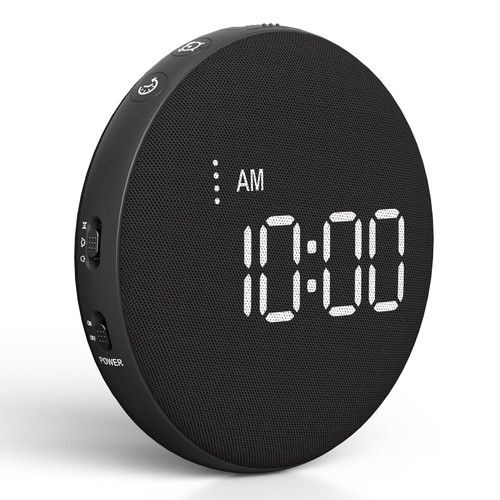
- Alarm Clocks for Heavy Sleepers - This alarm clock comes with a vibrator and offers 3 modes: ring only, vibration + ring , and vibration only. Ideal for heavy sleepers and those with hearing impairments.
- Loud Alarm Clock - You will amazed by the incredible sound of this alarm clock. With a mind-blowing output of up to 115 decibels, it guarantees that you'll never oversleep again. The loud and crystal-clear alarm will jolt you awake, even from the deepest sleep.
- RGB Alarm Clock - Get ready to be blown away by the stunning visuals on our screen. With the RGB feature, you can customize and change colors to your heart's content. Dive into a vibrant world of colors and create a personalized visual experience like no other.
- 5 levels Brightness - Our alarm clocks gives you the flexibility to choose from 5 different brightness levels, so you can customize the display to your liking. Whether you prefer a softly lit room or a brighter ambiance, this alarm clock has got you covered. Moreover, if you wish, you can even set it to completely turn off the display.
- 2 Alarms Settings - This alarm clock offers the convenience of two separate alarm settings, you can easily personalize the alarms to suit individual schedules. Whether you're a couple with different wake-up times or a household with varying routines, this feature allows you to personalize the alarms according to individual schedules.
- Steps for Setting the Time - Long press the [Set] button, then "Hour" blink; press [ + ] or [ - ] button to adjust the hour, then press [Set] to save. The "Minute" will blink, press [ + ] or [ - ] button to adjust the minute, then press [Set] to save
- 12/24 Hour Setting - Brief Press the [Set] button to switch between 12-hour and 24-hour formats.