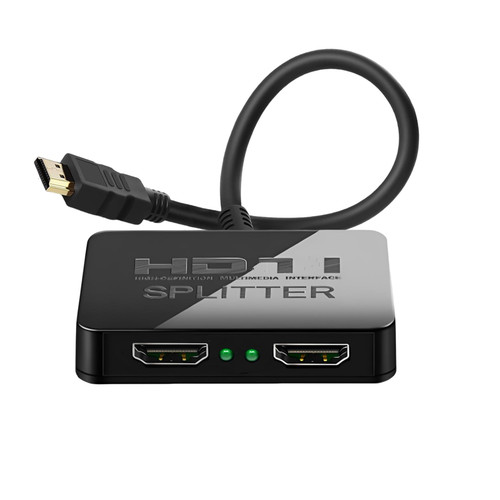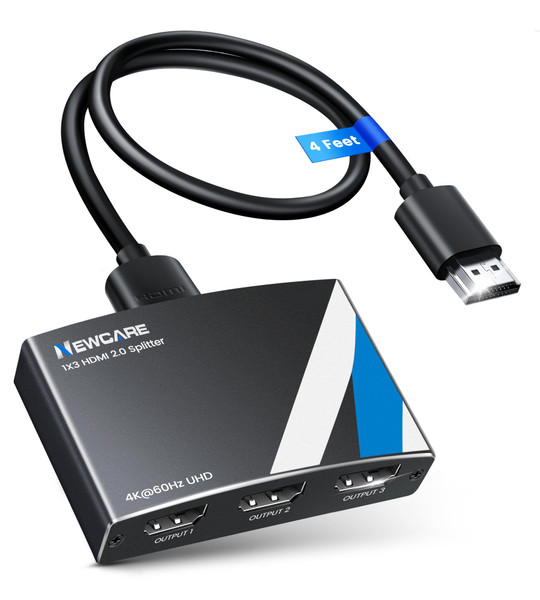


Product Overview
Brand: NEWCARE
Color: black
Features:
- 4K HDMI Splitter 1x3 - duplicates 1 HDMI input to 3 screens with stunning UHD 4K@60Hz resolution. It mirrors the exact same content on all displays and does not support extended screens. Experience lag-free, synchronized audio and video for smooth playback on TVs, monitors, and projectors.
- Important Limitations: 1.Not Support Extended Displays: Only mirror same content on all screens, no support extended abc mode; 2.Not Support Audio Device: Cannot connect audio device like speakers; 3.Not Support Input Switching: Only 1 HDMI input supported; multiple inputs not supported
- Resolution: This 3 way HDMI splitter supports UHD 4K@60Hz, Full HD 1080P, 3D, HDR10, and Dol-by Vision & Atmos. Suggest use AWG26 HDMI 2.0 (19+1) cables, for 1080P, input/output length ≤32.8ft; for 4K, input/output length≤16ft. The powered HDMI splitter features auto downscaler, allowing 4K and 1080P displays to work simultaneously under the same refresh rate
- Compatibility: HDMI 3 way splitter support HDMI 2.0/HDCP 2.2 and lower version, (not compatible with higher versions); Support hook one input device like PC, PS5/4/3, fire-stick,TV box, blue-ray player; Output support HD TV, projector, monitor. Supports audio formats including DTS, DTS-HD, Dobly TrueHD, Dobly AC3, DSD, and more
- 4K HDMI Splitter Packing: 1xHDMI 2.0 splitter 4K@60Hz; 1x4 Ft HDMI 2.0 cable; 1xUSB cable with power adapter; 1xUser guide; No software required – just plug and play. Setup Tip: For best performance, connect the display devices first, then the input source, and finally plug in the 5V 1A power adapter. This helps deliver a stable signal and prevents screen flickering or blackouts
![Warrky HDMI Splitter 4K, Display Mirror Same Screen Only (Not Extend Screen), HDMI Splitter 1 in 2 Out [USB-C Powered, Metal Shell, 3.3 Ft Braided Cable], 1x2 for Dual Monitors, Grey-4K UHD](https://cdn11.bigcommerce.com/s-gvzydciodq/images/stencil/500x659/products/123621/739081/812M2txKvnL__12859.1767072150.jpg?c=1 "Warrky HDMI Splitter 4K, Display Mirror Same Screen Only (Not Extend Screen), HDMI Splitter 1 in 2 Out [USB-C Powered, Metal Shell, 3.3 Ft Braided Cable], 1x2 for Dual Monitors, Grey-4K UHD")