Product Overview
Brand: KLEAWARTE
Features:
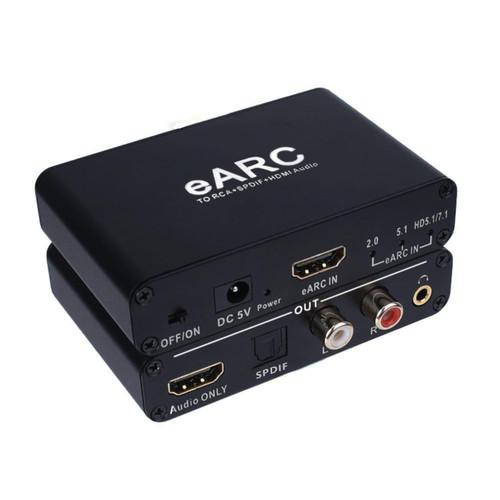
- Dual-Input Flexibility: Supports simultaneous input from HDMI ARC and Optical/SPDIF (TOSLINK), compatible with TVs, projectors, gaming consoles, and streaming devices. Built-in physical toggle switch for instant input selection
- Quad-Sync Output Technology: All four interfaces operate concurrently without signal compromise: HDMI ARC passthrough (maintains video signal integrity)Optical/SPDIF (TOSLINK digital audio)/L/R Stereo RCA (analog output)/3.5mm AUX (headphone)
- When using ARC/HDMI input, please conect the TV's HDMI/ARC port and the KLEAWARTE adapter's ARC port via HMID cable. Make sure to use AGW26 standard HDMI 1.4 cable. The HDMI 1.3 cable does not support ARC function.
- Advanced DAC Conversion Engine: supports conversion of digital audio fiber signals to analog stereo signals. (Not compatible with Dolby AC3/Dolby Digital Plus. Please set the audio output to PCM or LPCM before use)
- Wide application: Compatible with Blu-ray DVD, TV Box, Game playstation consoles, PS3, PS4, all HDTVs with ARC function and all Soundbar, speakers with optical, HDMI ARC, RCA and 3.5mm audio port devices.
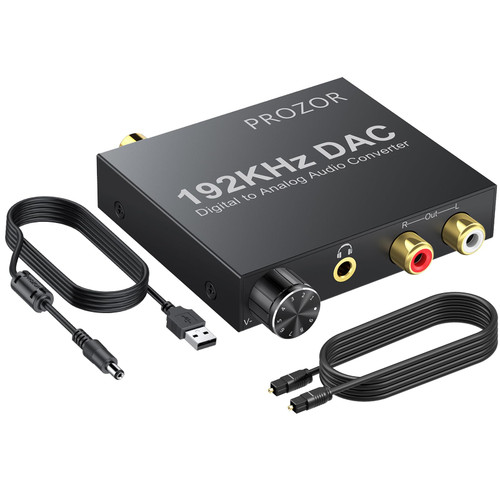
Details: This KLEAWARTE HDMI ARC audio adapter converts the Optical/SPDIF and ARC(HDMI) audio signal to ARC , Optical/SPDIF, L/R port, 3.5mm headphone jack prot of the adapter. Its four audio outputs, Optical/SPDIF HDMI ARC L/R 3.5mm Jack Stereo, can work at the same time. It is designed for for home theater, teaching, training structure, conference room, home appliance and so on. Connection and Operation: 1. Connect the ARC/HDMI port of the converter with the HDMI/ARC port of TV through HDMI cable. Note: Please connect to the HDMI interface of TV with ARC mark, or there will be no audio output. 2. Connect the converter's optical interface with the optical interface of the TV through an optical fiber cable. 3. Connect to the amplifier system from Optical/SPDIF port, ARC port and L/R 3.5mm Jack port with optical fiber cable, coaxial cable or RCA cable and 3.5mm audio cable. 4. Connect to Sound Bar from the ARC/HDMI port with an HDMI cable. 5. Connect the USB power supply cable to the DC 5V interface of the converter. 6. Turn on the converter and switch to the corresponding channel by flipping the switch. Product features: 1. Shell material: aluminum 2. Colour: black 3. Power supply interface: DC5.5 4. Weight: 0.37lb Package includes: 1 x ARC Audio Extractor 1 x USB Power Cable 1 x Users Manual Trouble-shooing guide; Non-Power: 1. Check whether the indicator light host is on. If not, check whether the power supply or power cord is correctly connected to the power interface of the converter. 2. Check whether the power supply is DC 5V or whether the current reaches 500mA. Non-Audio: 1. Check whether the TV supports ARC function and make sure the input switch of the converter is in the corresponding position. 2. Make sure that the HDMI cable connected to the TV’s HDMI interface supports ARC function. 3. Make sure that the HDMI cable is AGW26 standard HDMI 1.4 version high-definition cable. Noise in the RCA interface and headphone interface: 1. Set the TV to stereo output (PCM/LPCM 2-channel output)
UPC: 761086509770
EAN: 0761086509770