


Product Overview
Brand: EVACH
Color: Grey
Features:
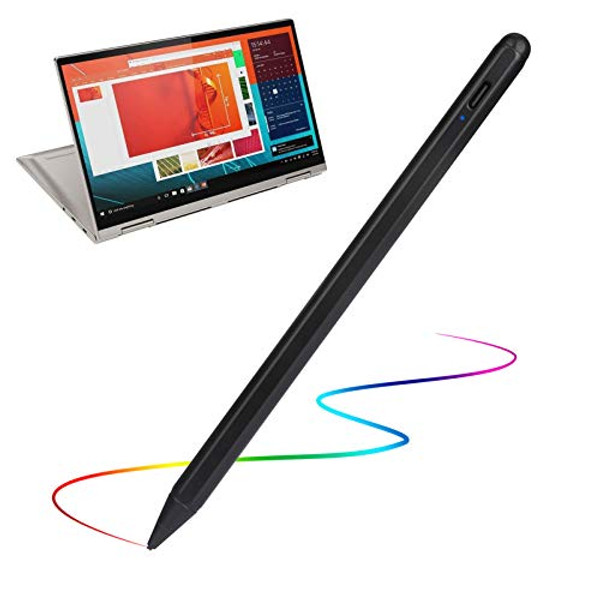
- Evach Stylus Pens for Lenovo Yoga Tab Pencil, Active Stylus Pen for Touch Screen Tablet with 1.5mm High Sensitivity Tip Pencil for Lenovo Yoga Tab Pen,Dark Black
- Evach Stylus Pens for Lenovo Yoga Tab Pencil, Active Stylus Pen for Touch Screen Tablet with 1.5mm High Sensitivity Tip Pencil for Lenovo Yoga Tab Pen,Dark Black
- Evach Stylus Pens for Lenovo Yoga Tab Pencil, Active Stylus Pen for Touch Screen Tablet with 1.5mm High Sensitivity Tip Pencil for Lenovo Yoga Tab Pen,Dark Black
- Evach Stylus Pens for Lenovo Yoga Tab Pencil, Active Stylus Pen for Touch Screen Tablet with 1.5mm High Sensitivity Tip Pencil for Lenovo Yoga Tab Pen,Dark Black
- Evach Stylus Pens for Lenovo Yoga Tab Pencil, Active Stylus Pen for Touch Screen Tablet with 1.5mm High Sensitivity Tip Pencil for Lenovo Yoga Tab Pen,Dark Black
Details: Stylus Pens for Lenovo Yoga Pencil, Evach Capacitive High Sensitivity Digital Pencil with 1.5mm Ultra Fine Tip Stylus Pencil for Lenovo Yoga Pen, Black 1.5mm Fine Point Stylus Pens for Lenovo Yoga lets you draw,write and navigate with pinpoint accuracy and offers comfortable pen-like control for Lenovo Yoga Stylus Pen New design anodized aluminum body Pencil Stylus for Lenovo Yoga pens provide durability and offers a stylish appearance Touch control design helps the drawing stylist pen for Lenovo Yoga within reach for easy operation Soft Tip Pen for Lenovo Yoga allows you to interact with your device's touch screen without leaving scratches or smudges Instruction for Use: This is active capacitive stylus, so you can use it just like use a pen with ultra fine tip, which will help you draw and write more accuracy. When you use this pen on different apps or devices, you would need to change the input method to handwriting/drawing mode. For example, when you use this pen on Apple Notes, click the small pen writing icon, and then you can start using it. Frequently Asked Questions/Issues: Q1: Why the indicator blinks in blue? A1: The battery is out, you will need to take it for a charge. Q2: Why I can slide the screen pages, but can not write or draw in apps? A2: Check the software configuration if it supports handwriting editing, if yes, then enables it to stylus pen drawing/writing mode. If you have any question or concern, just let us know, we will help on troubleshooting.


